One declarations page, run through it.
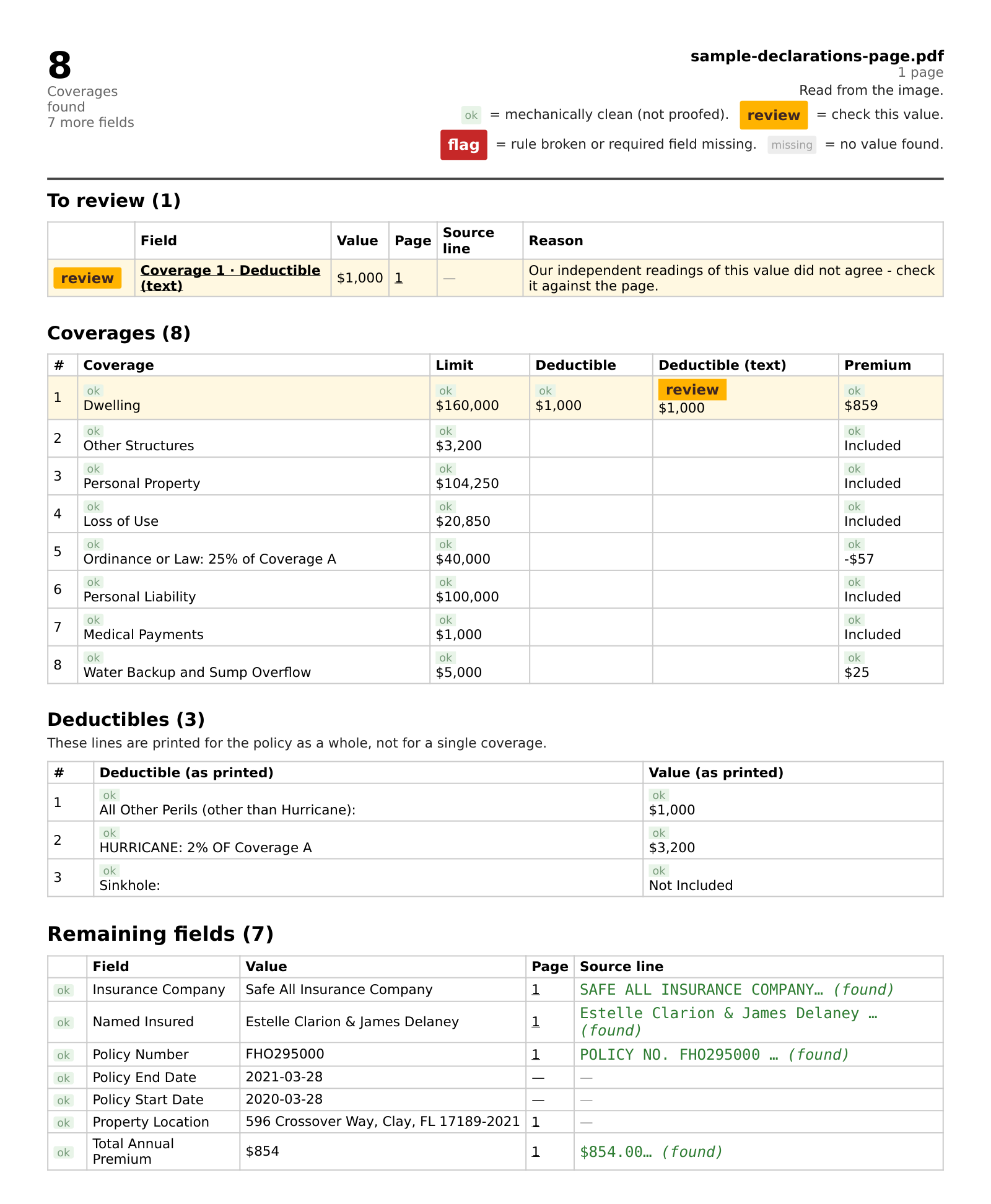
This is a real run on a homeowners declarations page — not a mock-up and not a best case. It is the sheet that comes back, as a PDF you can file or print. Every flagged value and the key fields — insurer, named insured, policy number and total premium — show the page they were read from, and the line where the file carries text. What the engine is unsure of is marked rather than left to look clean.
Watch the 40-second walkthrough →
What the columns are for
- Value
- What the engine read from the page.
- Page & source line
- Where it came from, verbatim from the document — shown for every flagged value and for the key fields. This is what lets you check a figure without opening the PDF again. If a value cannot be traced back to a line, the column stays empty instead of showing something plausible.
- Reason
- Why a row is flagged. Empty when there is nothing to say — we would rather leave a cell blank than fill it with a sentence that means nothing.
What the marks mean
- ok
- Mechanically clean — the value was found and parsed. It is not proofed, and we do not present it as approved.
- review
- Look at this one. The reason column says why: the reading was uncertain, or the value could not be placed on a line.
- flag
- A rule was broken, or a required field is missing.
- missing
- No value found. There is nothing to judge, so it is not called clean — and above all not marked ok. If the policy carries a value there, the engine missed it: check that line on the page.
Try it on one of yours
Upload a declarations page with the client details blacked out and we will run it and send back exactly what it produces — the same sheet, on your document.
No account needed for the first one. After you subscribe, upload your pages or send them to docs@dectrace.com, and the sheet comes back by email — cancel anytime.